Portal by Adrianne
Overview
Portal by Adrianne is a central hub that connects my projects, portfolios, and creative work into a single, cohesive entry point. Instead of merging everything into a single monolithic site, the portal acts as a lightweight navigation layer across my ecosystem.
The Goal
- Create a single entry point for multiple portfolio sites
- Organize projects without overwhelming the user
- Maintain clarity while showcasing a growing ecosystem
Context
As I continued building multiple sites (such as Prompted by Adrianne and Patterned by Adrianne), I needed a way to present them cohesively. Rather than combining everything into one monolithic site, I designed a portal that serves as a directory and identity layer across all my projects.
What I Built
- A clean homepage introducing my identity and work
- A portal directory linking to different projects and sites
- A simple navigation system for core pages (About, Credentials, Colophon, Contact)
Design Direction
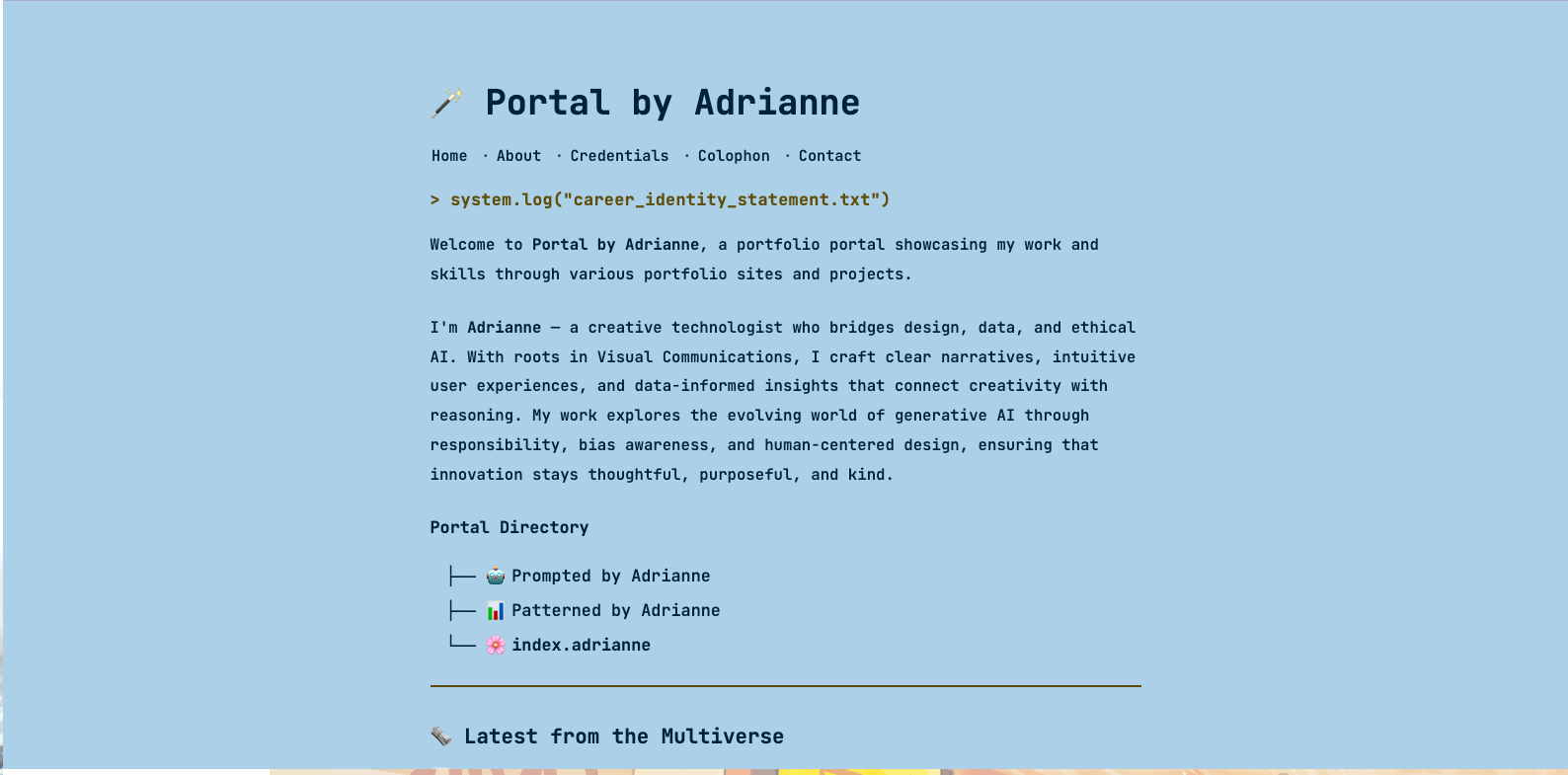
The design takes inspiration from terminal interfaces and system logs, reinforcing the idea of the portal as a central command layer.
- Minimal, text-focused layout for clarity
- Soft color palette with a calm, readable background
- Structured spacing to guide scanning and navigation
- Subtle personality through elements like
system.log(...)
Tech Stack
- Hugo — used to generate a fast, content-driven static site, allowing the portal to remain lightweight while organizing multiple sites under a single structure
- Custom CSS — used to shape layout, spacing, and maintain a calm, readable visual system
- Terminal CSS — used to create a terminal-inspired interface that reinforces the portal’s “system layer” concept
Challenges
- Deciding how to organize multiple sites without clutter
- Balancing personality with simplicity
- Structuring content so it feels intentional, not scattered
- Managing deployments across multiple hosting platforms with different workflows without built-in Git-based workflows
- Finding a simple way to display latest posts across multiple sites without introducing unnecessary complexity
Solutions
I focused on reducing complexity rather than adding more UI elements. Instead of using grids or heavy visuals, I leaned into a simple directory-style layout that highlights each project clearly.
Separating navigation (top links) from the portal directory also helped create a clearer mental model for users.
I also explored automating deployments for a traditionally hosted site. Since adrianne.io is hosted on Hosting.com and could not be easily remapped to platforms like Netlify, I researched ways to update the site without relying on manual FTP uploads. This led me to GitHub Actions, which I configured to connect with Hosting.com’s deployment setup and automate updates whenever changes are pushed to the repository.
To keep the portal lightweight, I chose not to integrate a dynamic feed system for latest posts. Instead, I manually maintain a simple YAML-based list to display recent content from different sites. While this requires occasional updates, it avoids added dependencies and keeps the implementation predictable and easy to control.
What I Learned
- Simplicity is more effective than over-design for navigation-heavy pages
- A portal can act as a system layer, not just a homepage
- Clear structure improves both UX and maintainability
- It is possible to automate deployments for traditionally hosted sites by using GitHub Actions to connect repository updates with hosting provider workflows
- Not every feature needs to be automated; sometimes a simple manual approach (like maintaining a YAML feed) is more practical and maintainable for small-scale systems
What I’d Improve Next
- Add more projects as the ecosystem grows (including Adrianne Codes)
- Refine visual hierarchy as more links are added
- Explore ways to highlight featured or recent work
- Experiment with automating content aggregation (e.g. RSS or API-based feeds) if the system grows